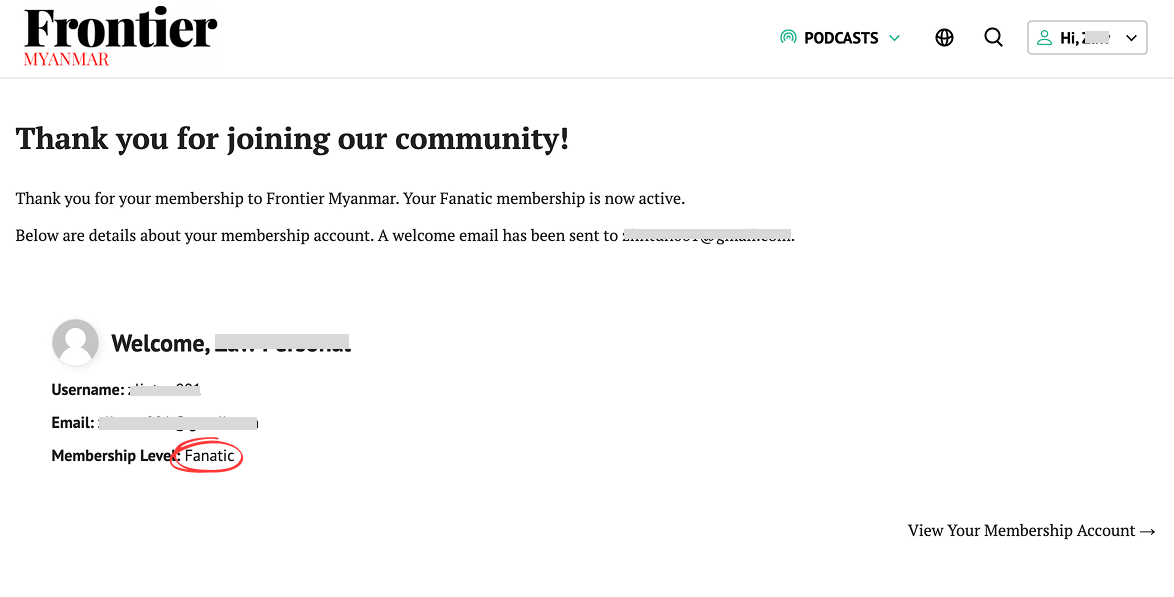
Adding or Inviting a Team Member
First, go to your account centre and click the “Manage Group” button.
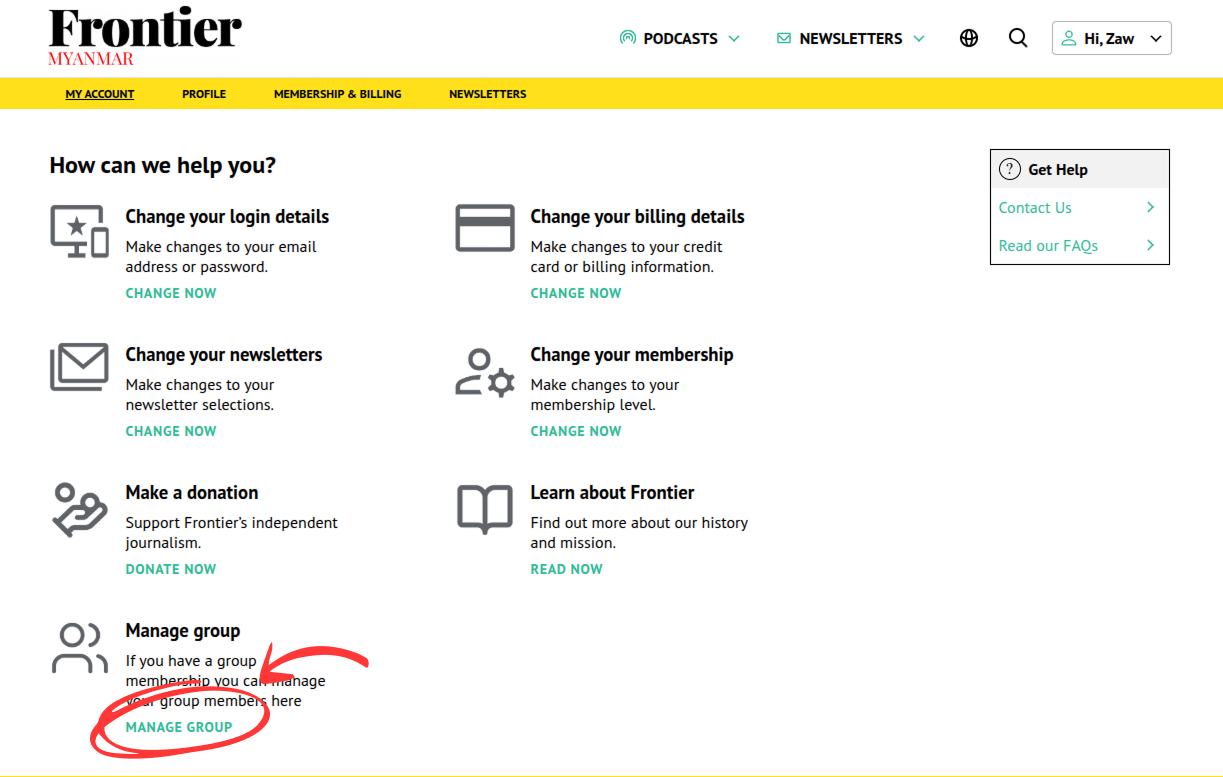
You can add/invite your team member using one of the following methods.
METHOD 1
- Copy the invitation link and share it with your team members (for example, send it to them by email or a messaging service like Signal).
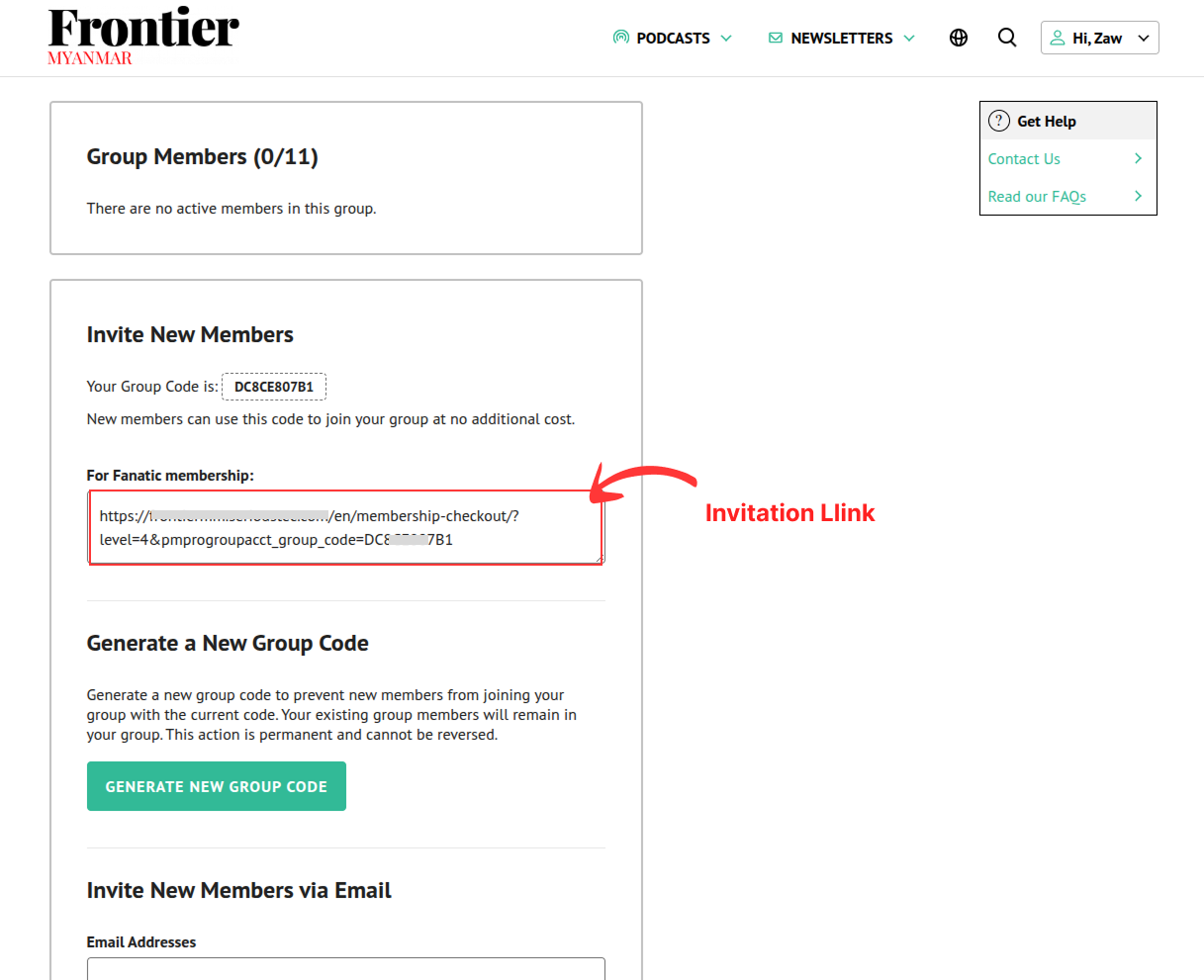
- Ask the team member whom you sent the link to put the url into their browser. The following page will load and they can start filling the required information before clicking the “Submit and Confirm” button.
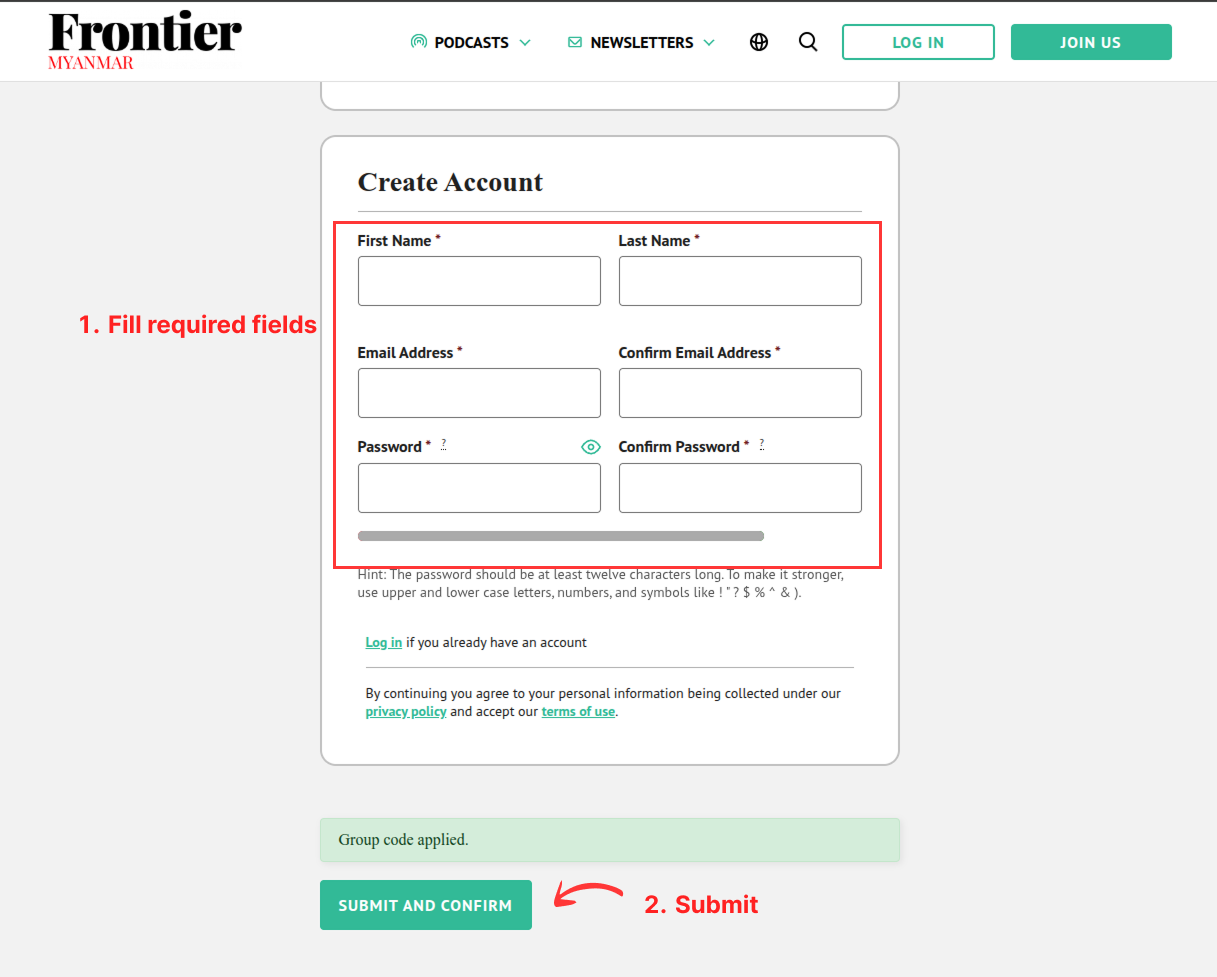
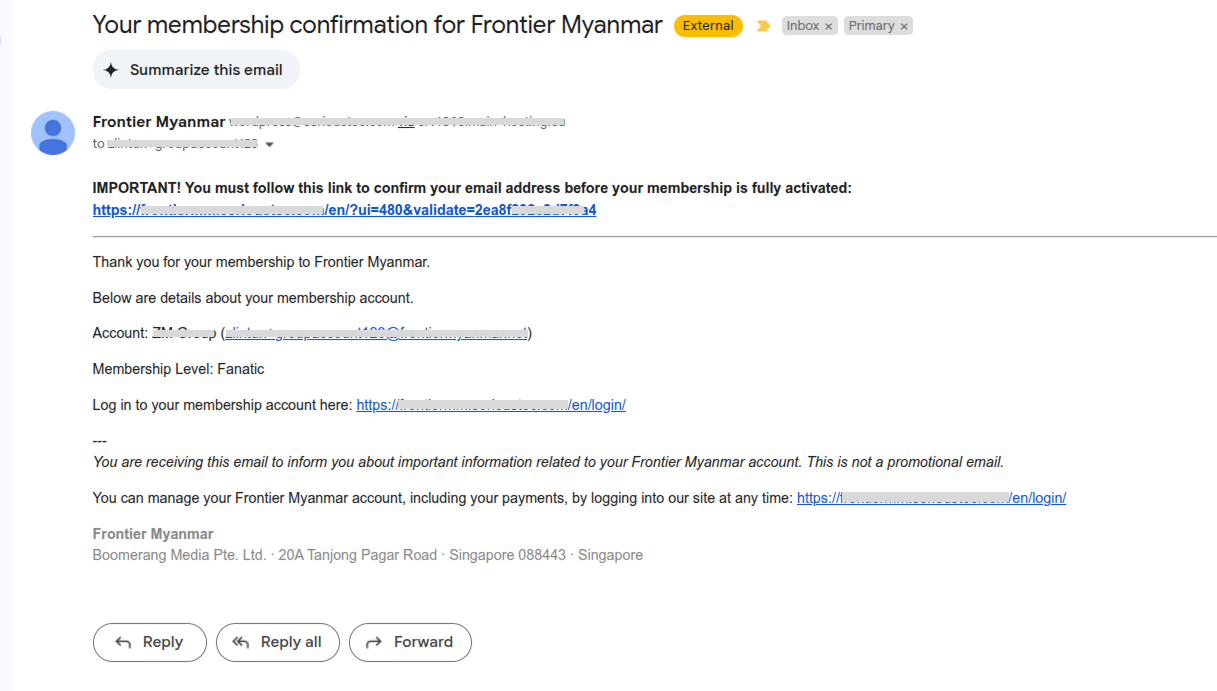
- The team member will receive a confirmation email in their inbox. They need to click the confirmation link in the email to complete the registration process.
METHOD 2
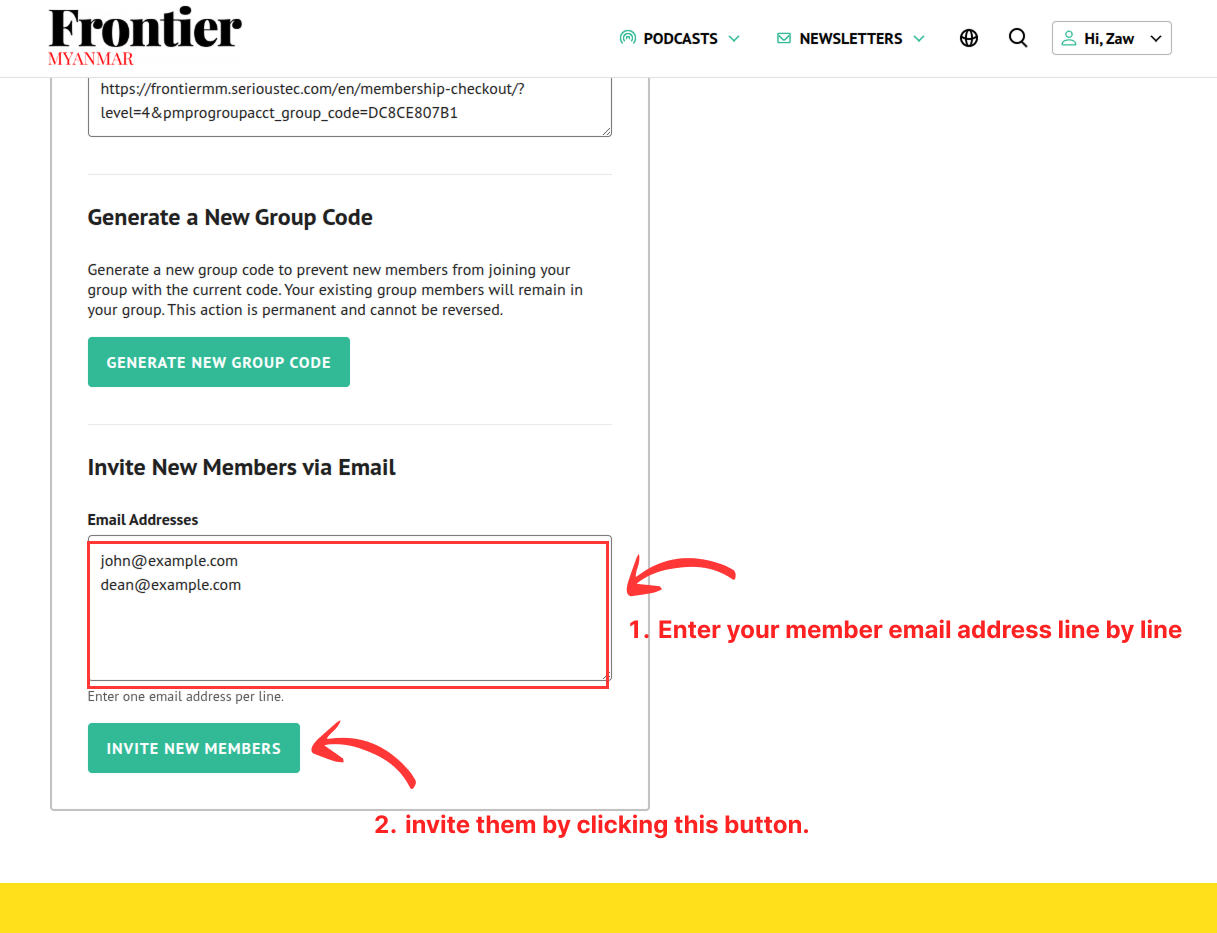
- Enter your team members’ emails in the following box, with one email address on each line. When you have finished, click the “Invite New Members” button. We will send an invitation email to those addresses.
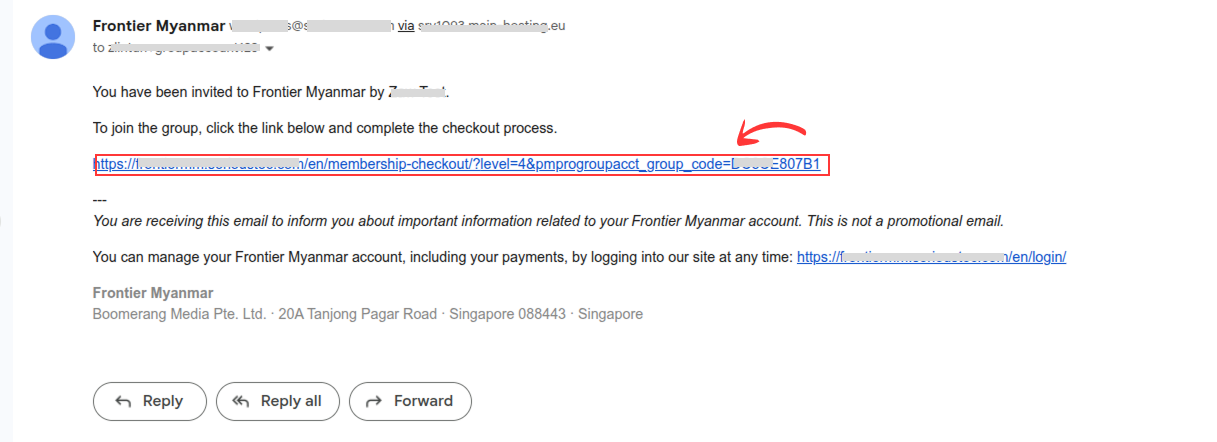
- Ask your invited team members to check their inbox and click on the link in the invitation email.
- They will be redirected to the following page where they can fill in the required information before clicking the “Submit and Confirm” button.
- The team member will receive a confirmation email in their inbox. They need to click the confirmation link in the email to complete the registration process.
METHOD 3 (Existing Member)
Use this method if the person is already registered in our system but is not yet a member of your team.
- First of all, invite your team member by either
sharing the invitation link with them directly
Or entering the email address in the box and send invitation email to them.
- Ask your member to log into the system before clicking the link. If your team member is already logged in and click the link, they will be redirected to the following checkout page. As you can see in the screenshot below, the system will automatically detect that the price is $0.00 and they can click the “Submit and Confirm” button to complete the process.
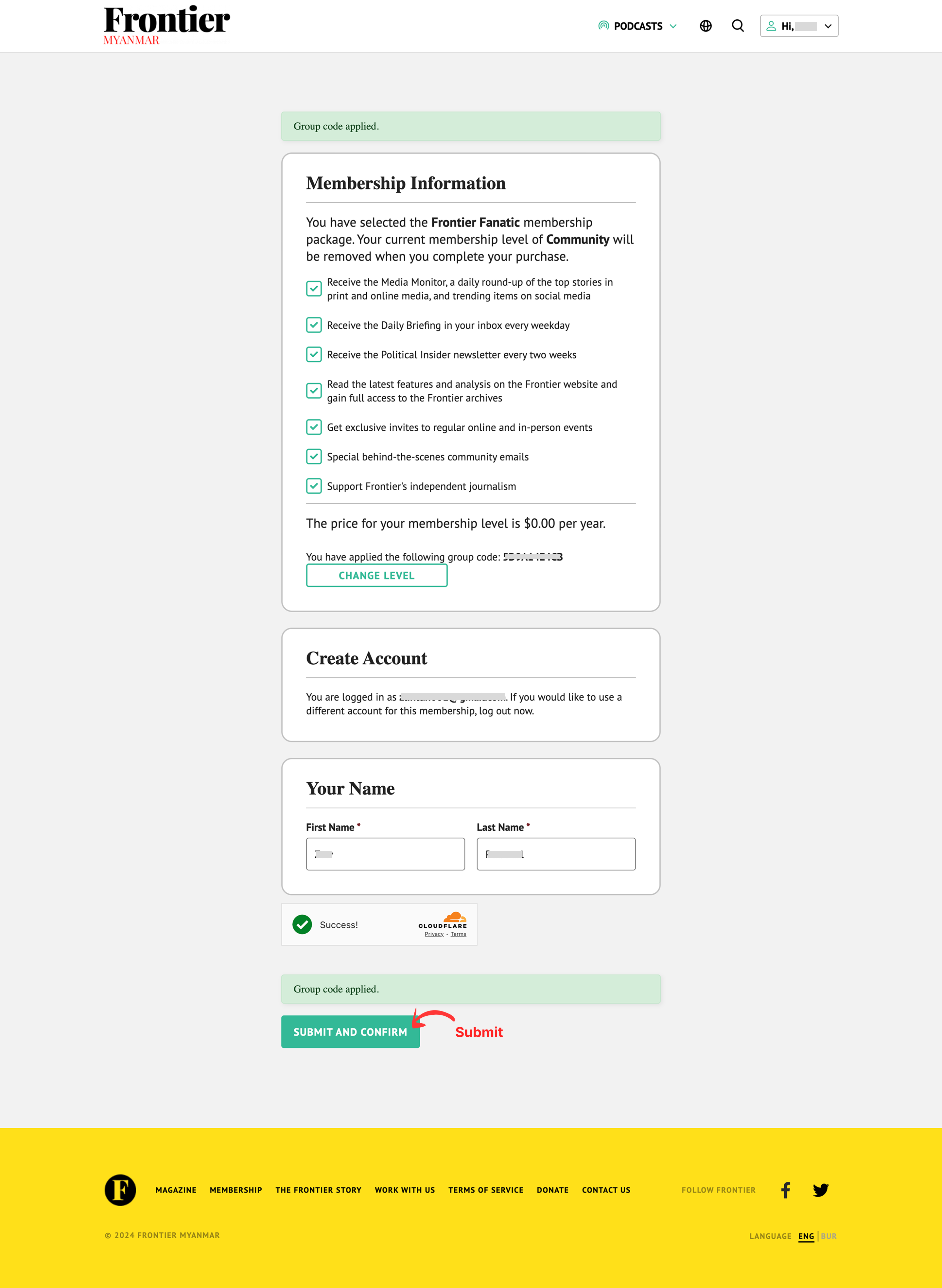
After clicking the “Submit and Confirm” button, the team member will be redirected to the following page where they can see their team membership level is Fanatic.