Cancelling Your Membership
To cancel your membership, follow these steps:
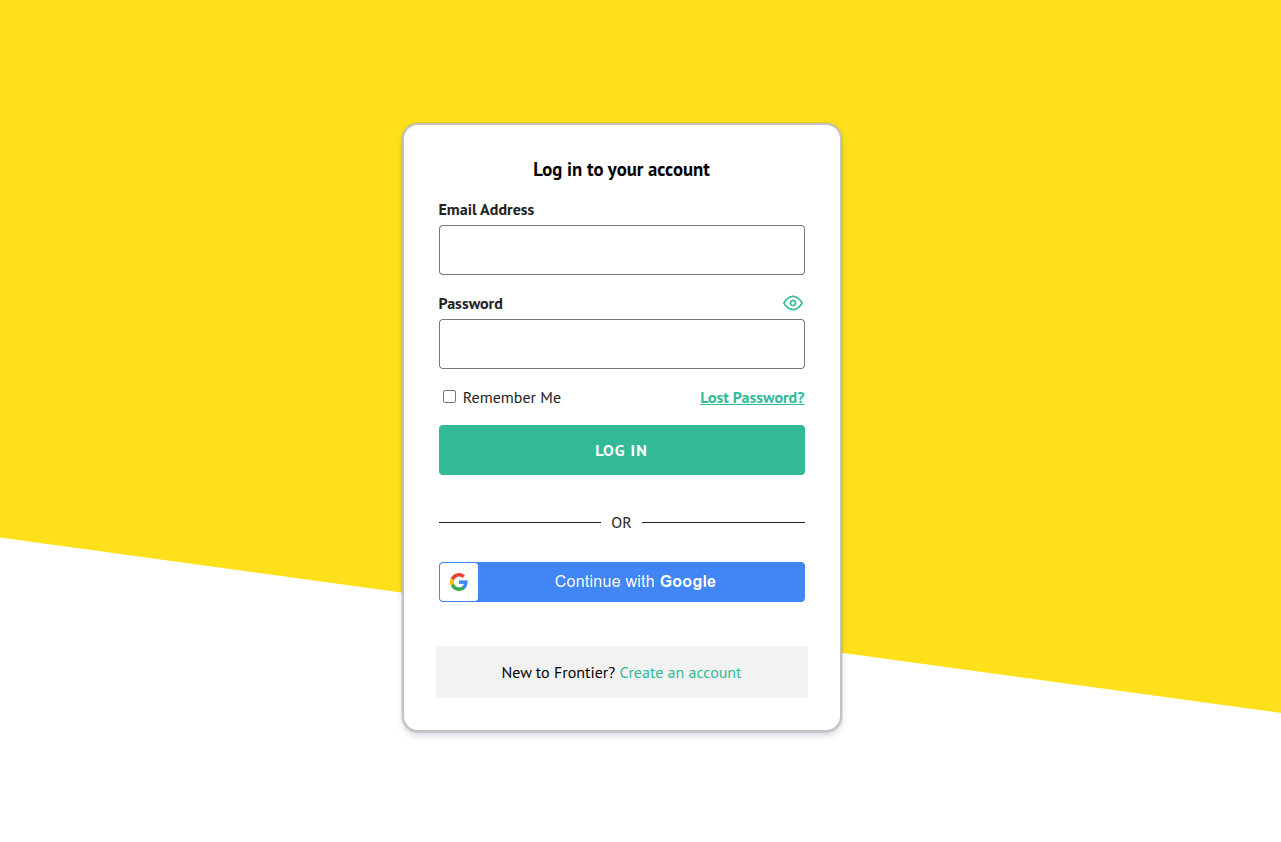
- Access your account by logging in if you are not already logged in. https://www.frontiermyanmar.net/en/login

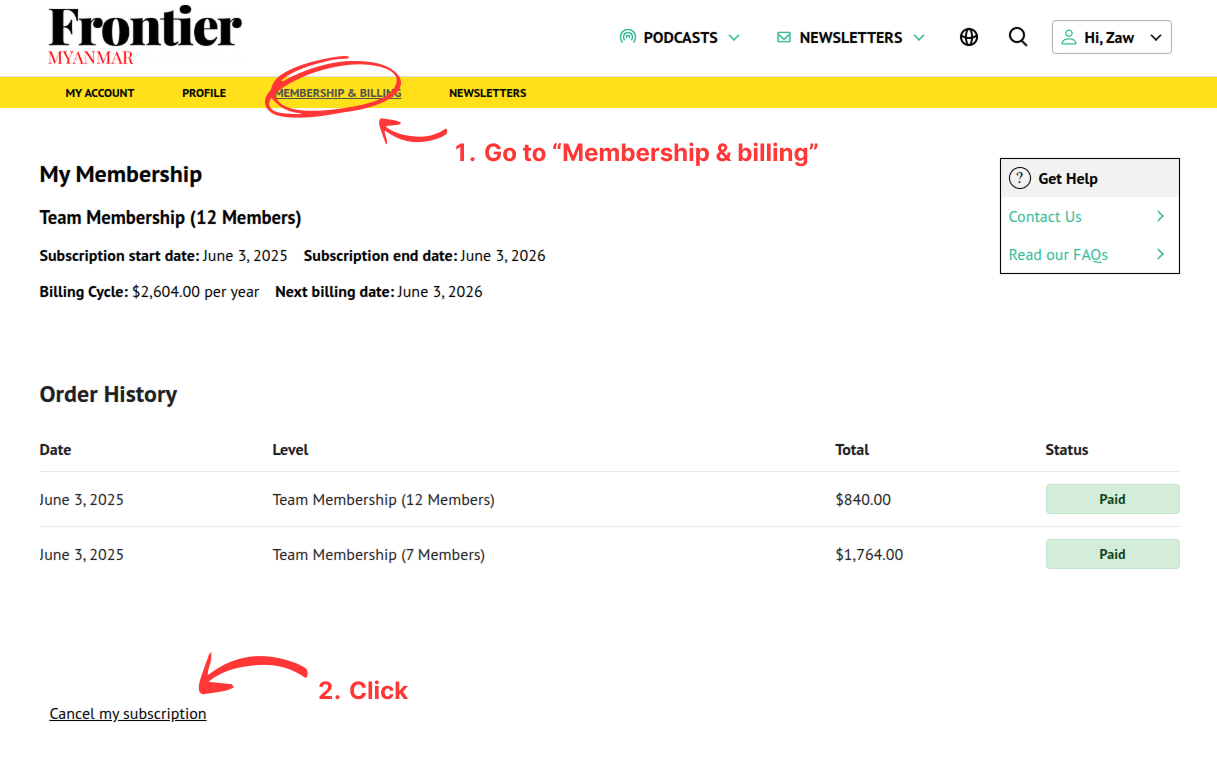
- Go to your account billing page and click the “Cancel my subscription”.
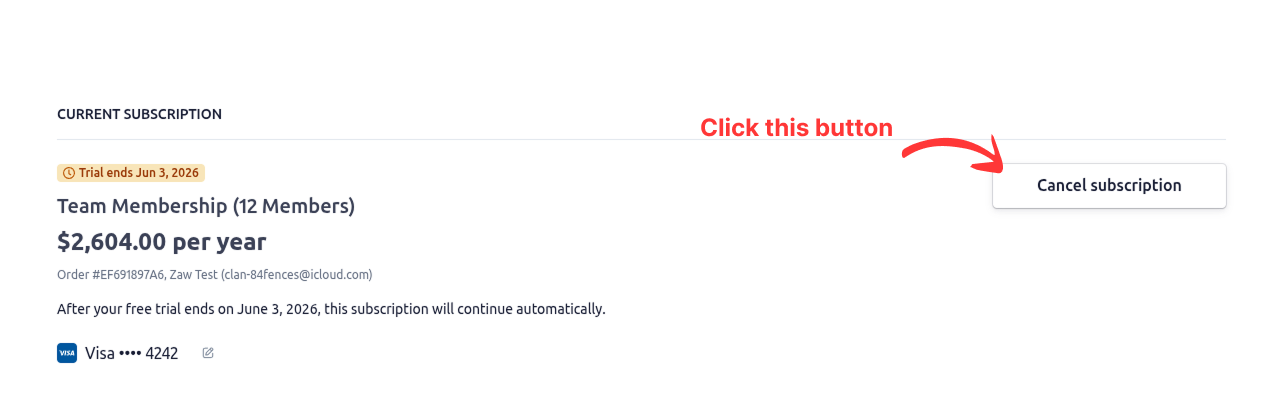
- It will redirect you to the Customer portal where you can find the “Cancel subscription” button at the top right of the panel.
For our existing members: We are updating subscription prices. While this change is scheduled on your account, you will need to contact us directly to cancel. Just let us know, and we’ll handle it for you.
- Then, confirm the cancellation by clicking the “Cancel subscription” button
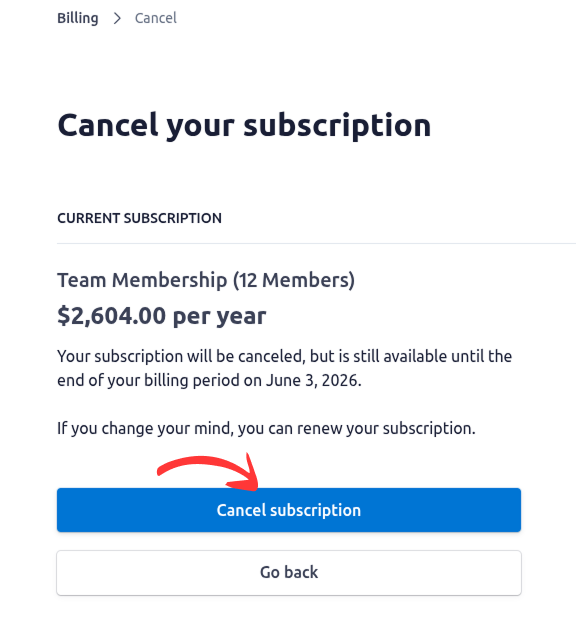
Note: You can always renew your subscription before the expiration date. Your membership will still be effective till the end of billing period. For more information, please check it out here.