Upgrading or Downgrading Your Individual Membership
To upgrade or downgrade your membership level, follow these steps:
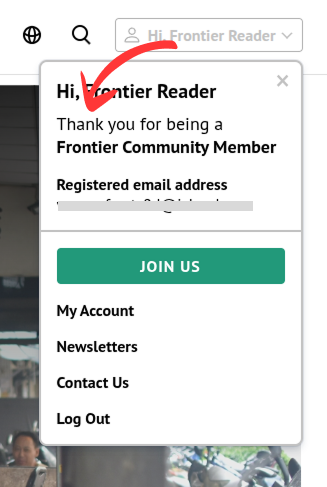
- Go to the membership levels page by either loading this url or clicking “Hi, ***” button at the top right side of the navigation bar and clicking the GREEN button.
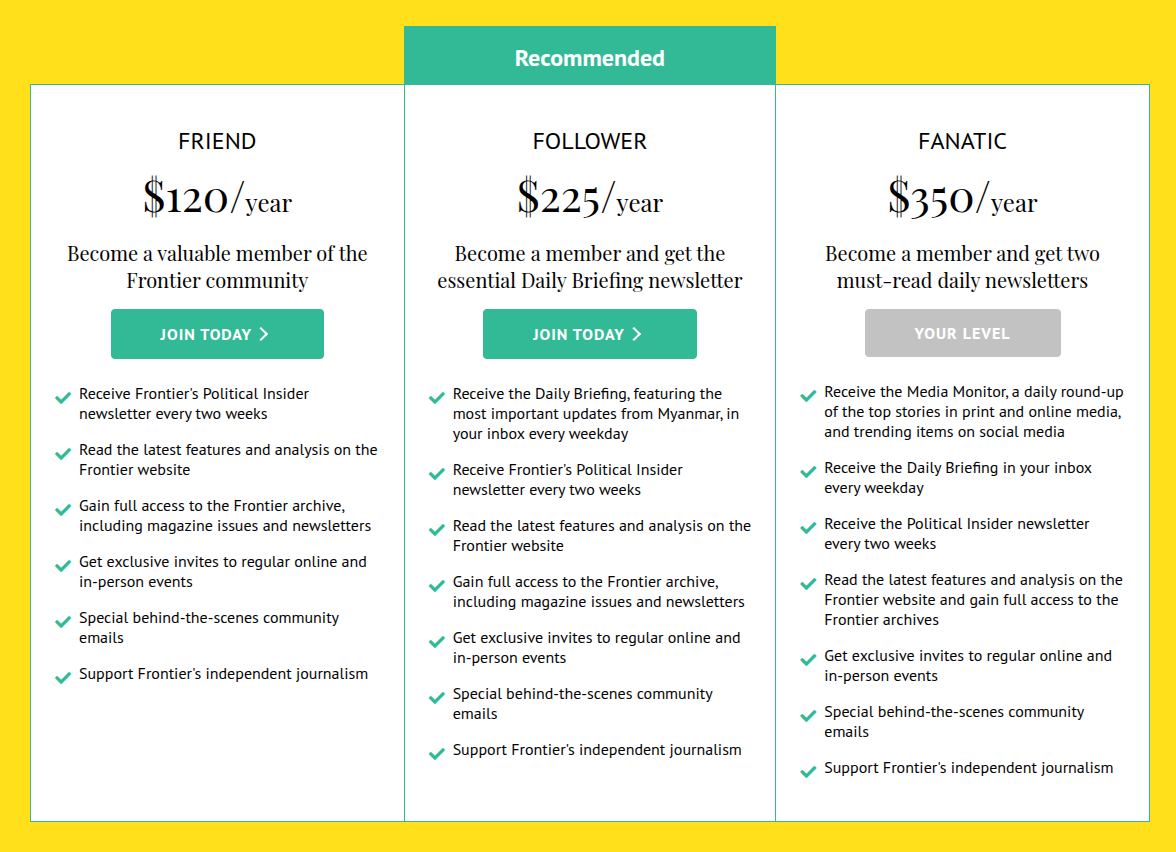
- In the membership page, choose the level you want to upgrade or change to.
- In the checkout page, enter required information and click “Submit and Check Out” button.

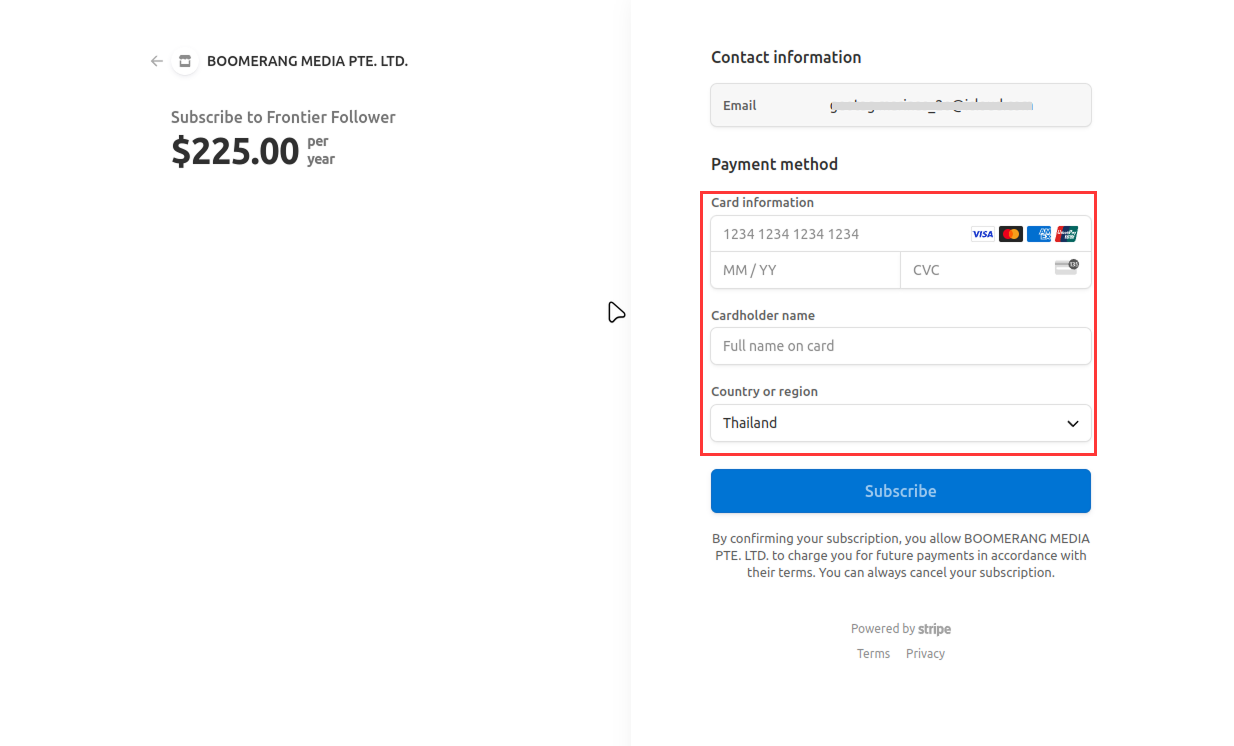
- You will be redirected to the Stripe checkout page where you can reenter your billing information. If you have already been a paying customer, you might not need to enter your billing information again.
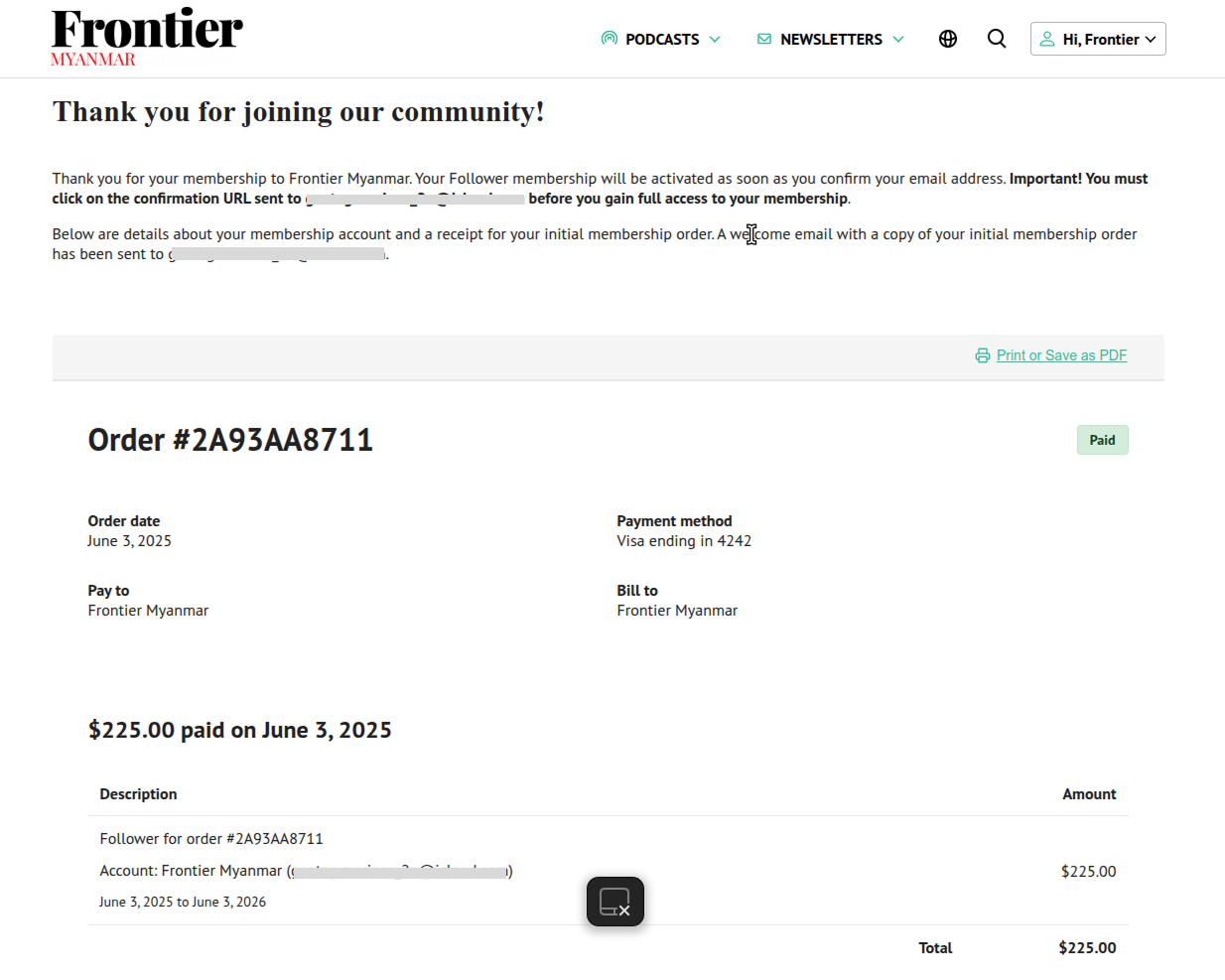
- After successfully completing the checkout process, you will be redirected to your Frontier account page.
Note: Please be aware that any membership level change will result in prorated charges.