Update Billing Information
To update your billing information, follow these steps:
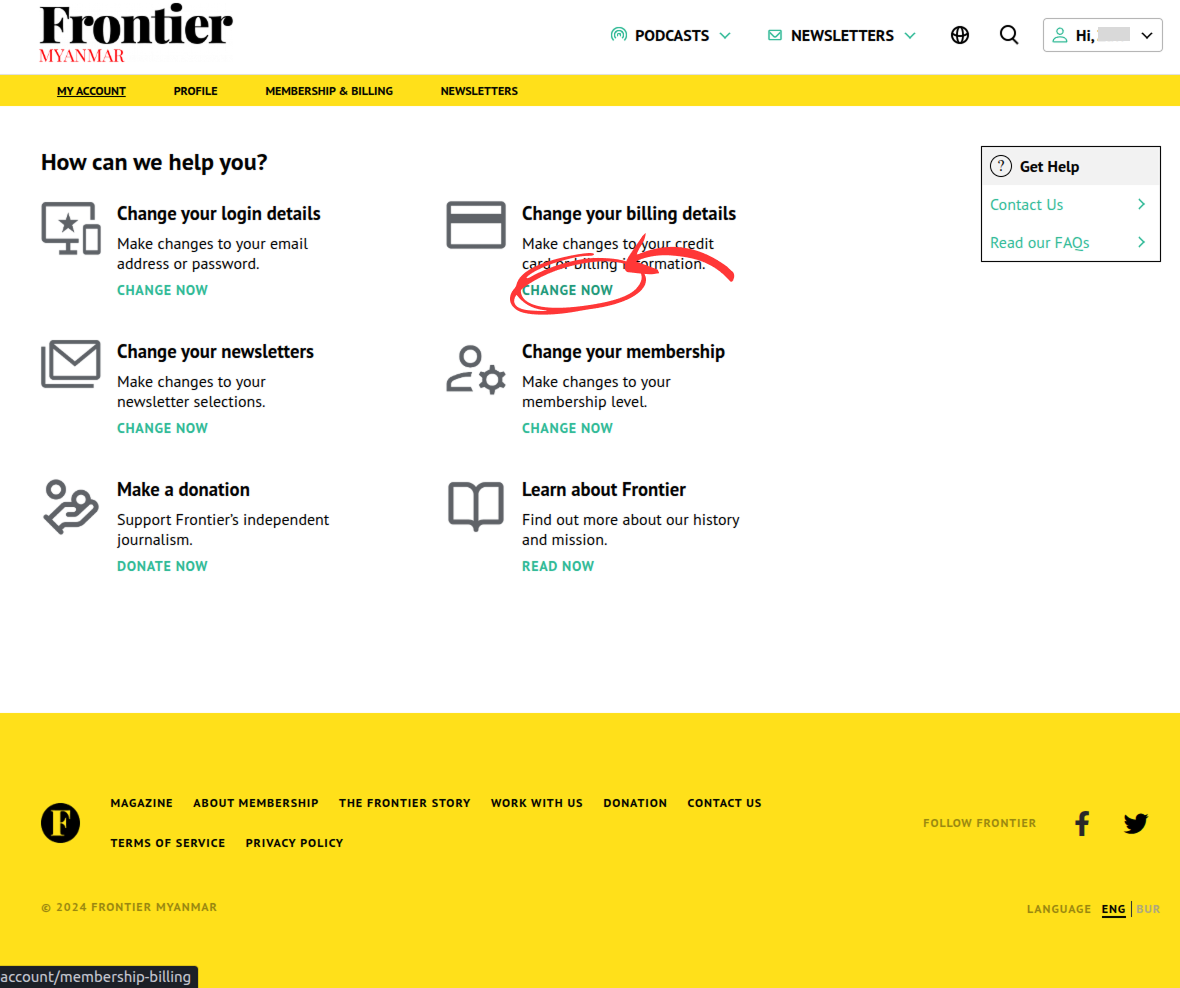
Go to your account page and click the “Change Now” link under “Change your billing details”.
Adding New Payment Method
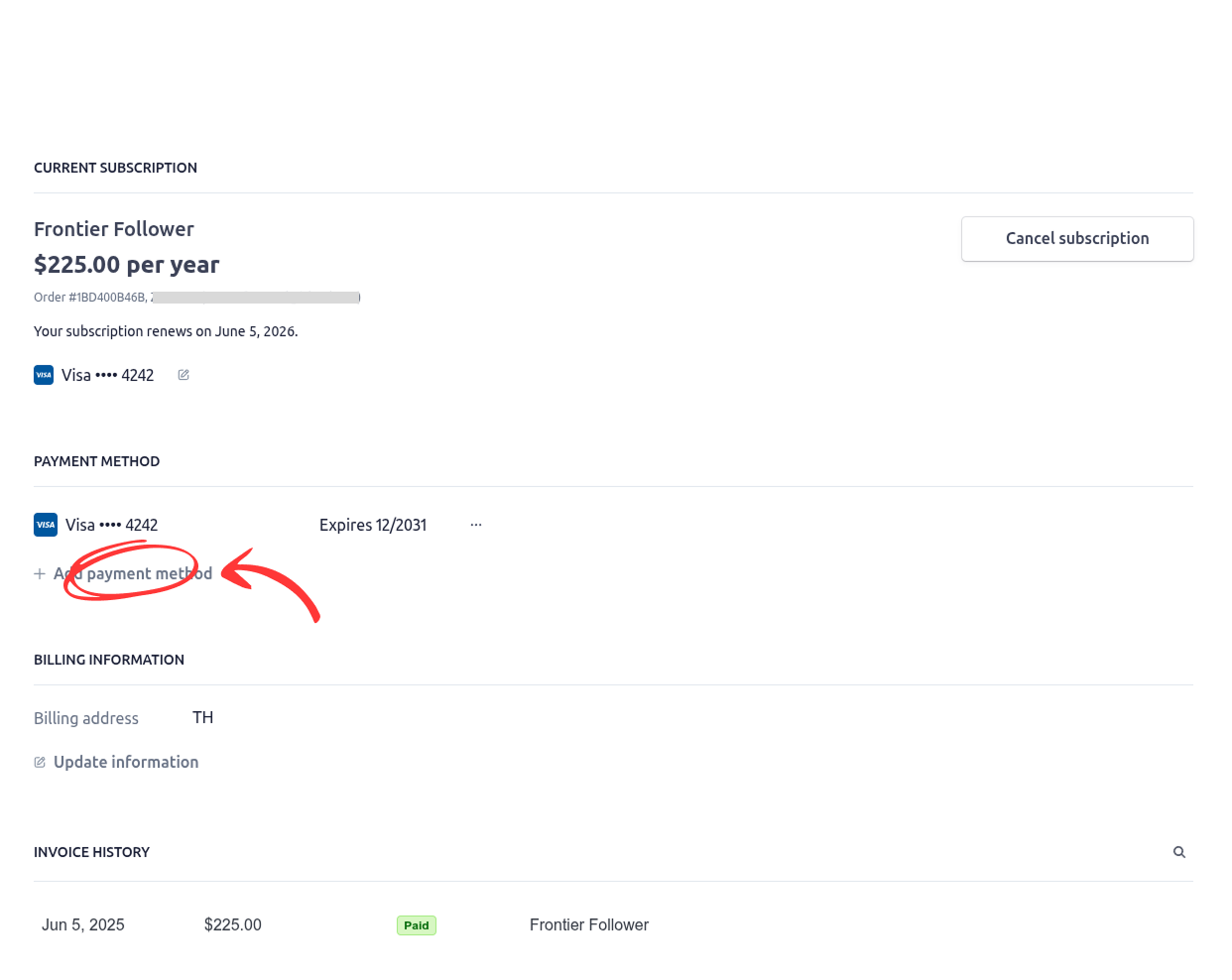
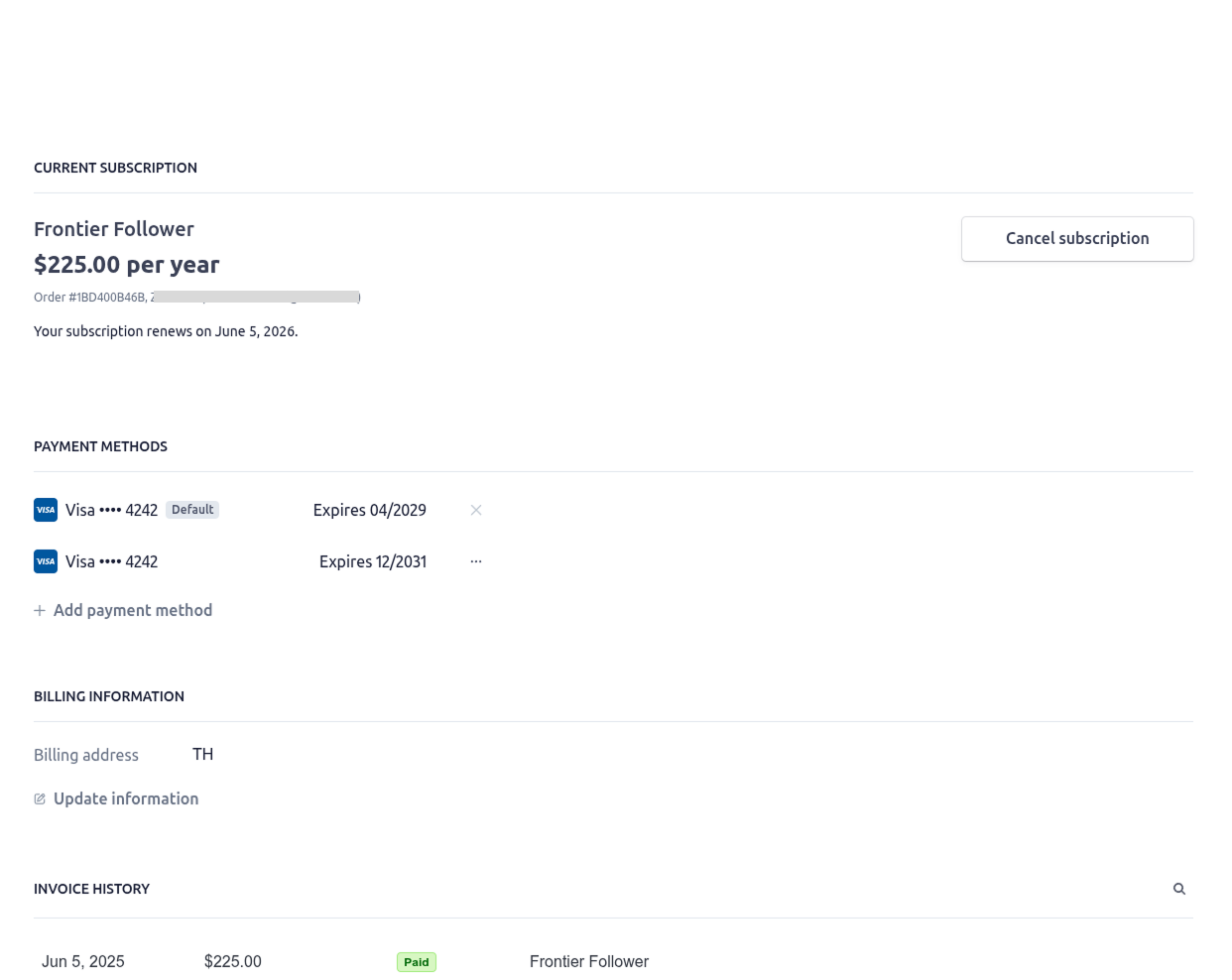
Click “Add payment method”.
Setting Default Payment Method
Set your default payment method for upcoming invoices.
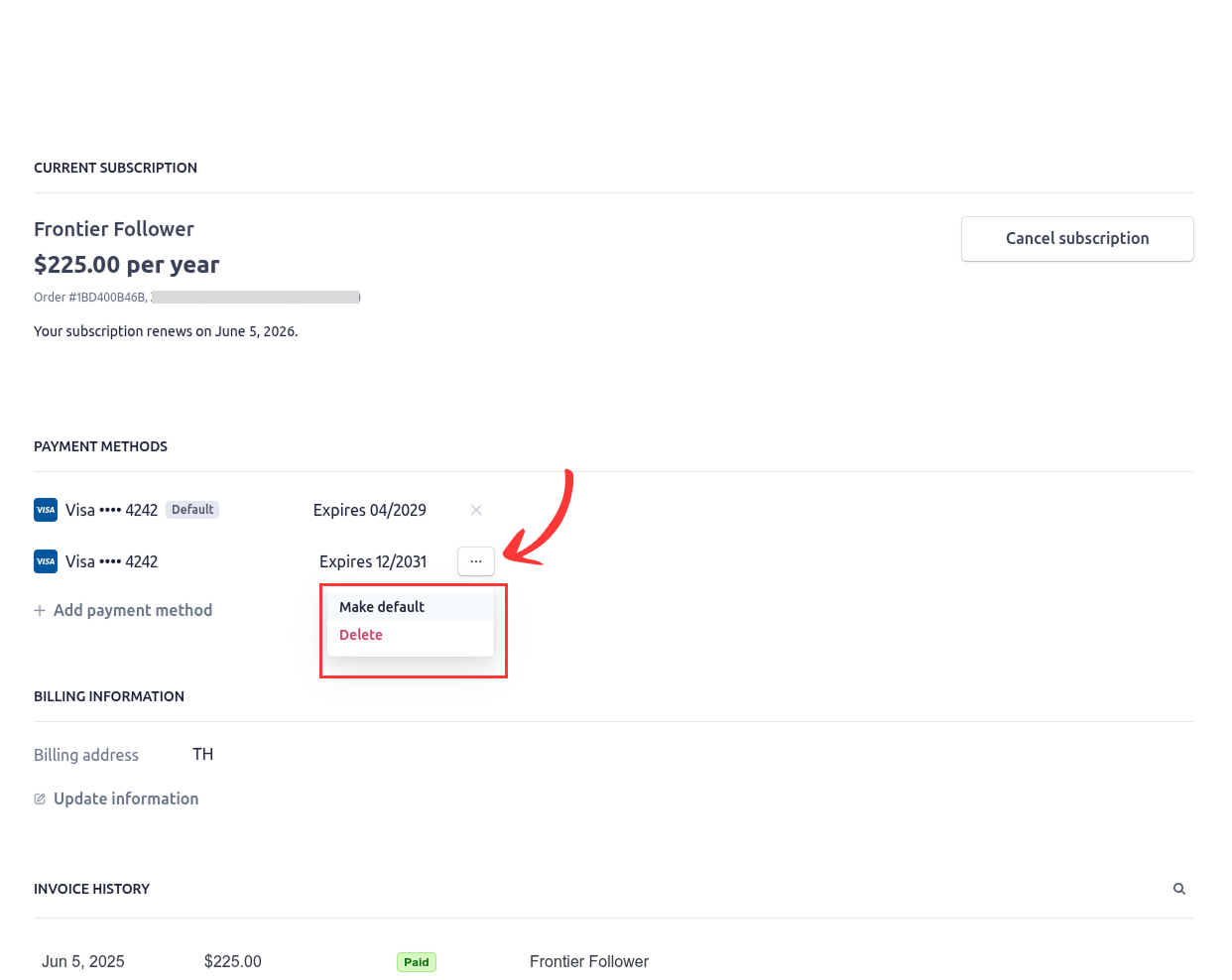
Click the “…” button at the right side of the payment method box. Select “Make Default” Option.
Deleting Your Payment Method
Click the “…” button at the right side of the payment method box. Select “Delete” Option.