Signing up for a Team Membership
- First go to the membership levels page by clicking the “Join Us” button in the navigation bar.

- Scroll down and you will see “Team membership” section. Click “Learn More” button.
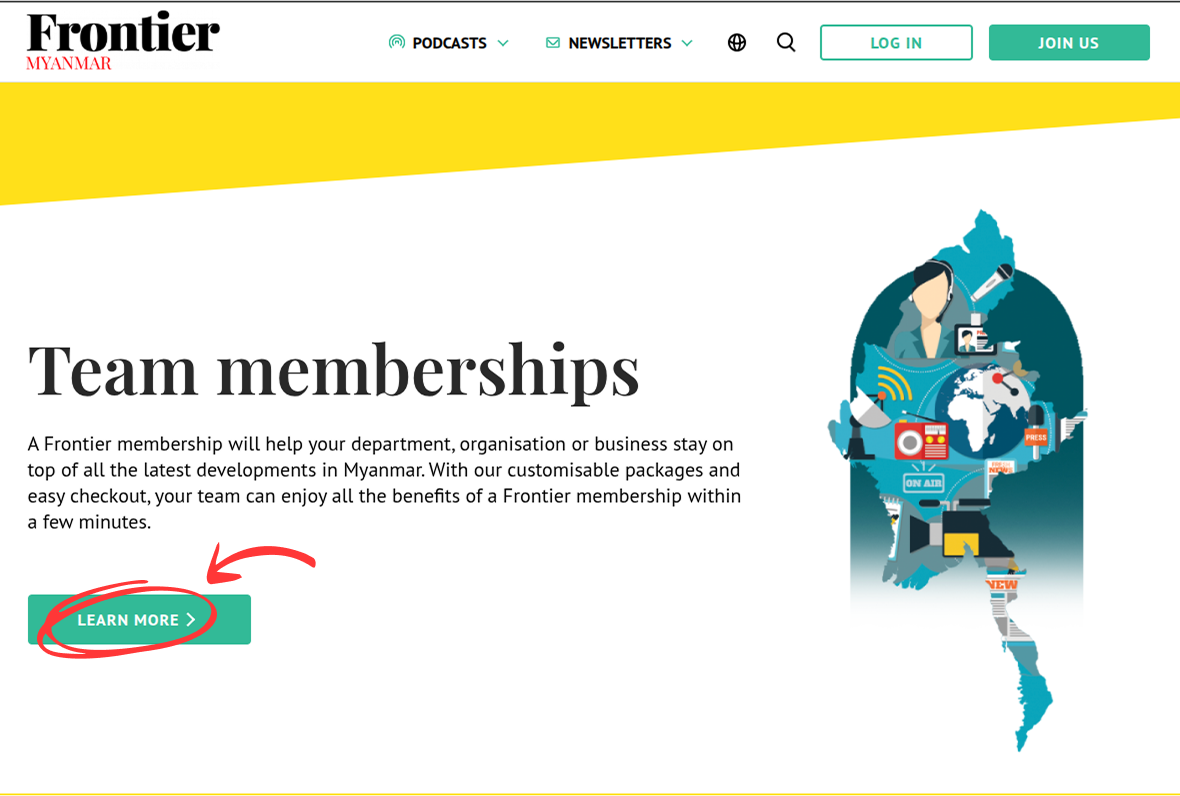
- You will be redirected to “Team membership” page.
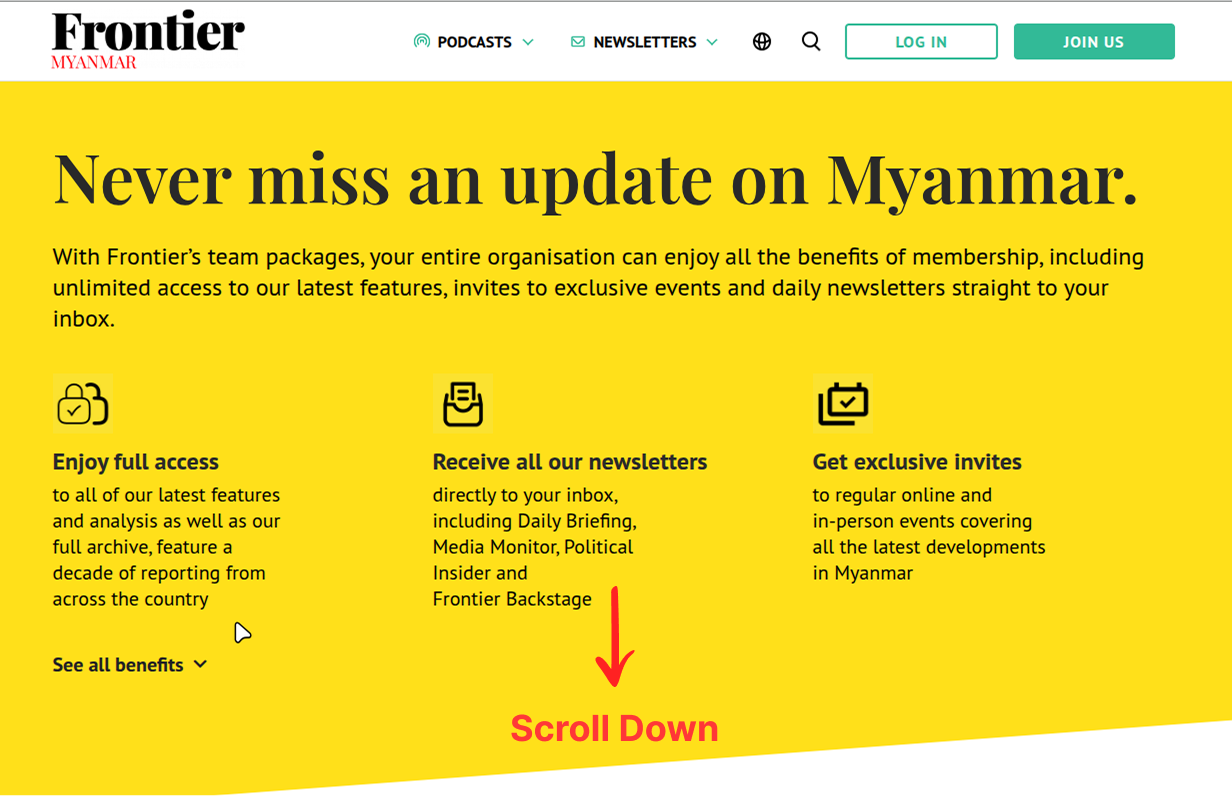
- Then, scroll down and select the number of seats you require. Once you have entered the correct number, click the “Proceed to Registration” button at the bottom.
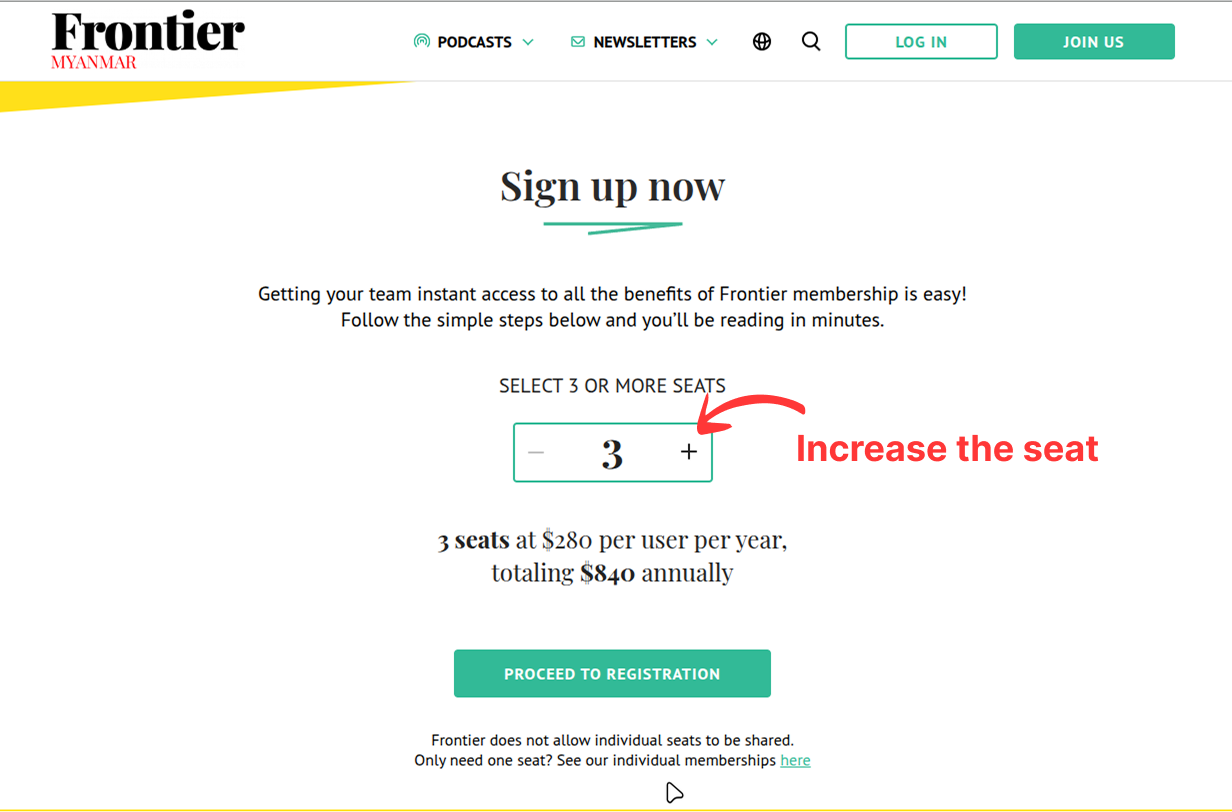
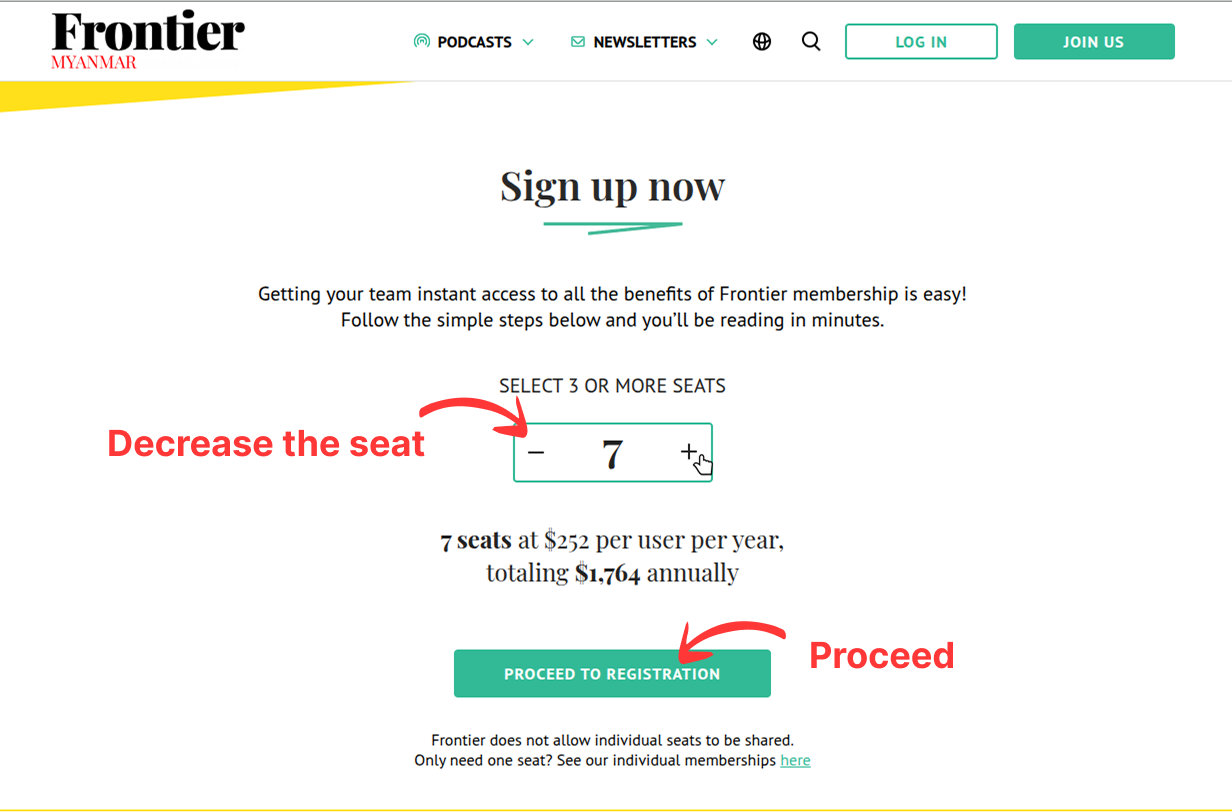
- Enter your information, or click the “Log in” link in the “Log in if you already have an account” text if you already have an account and wish to use it for your Team membership.
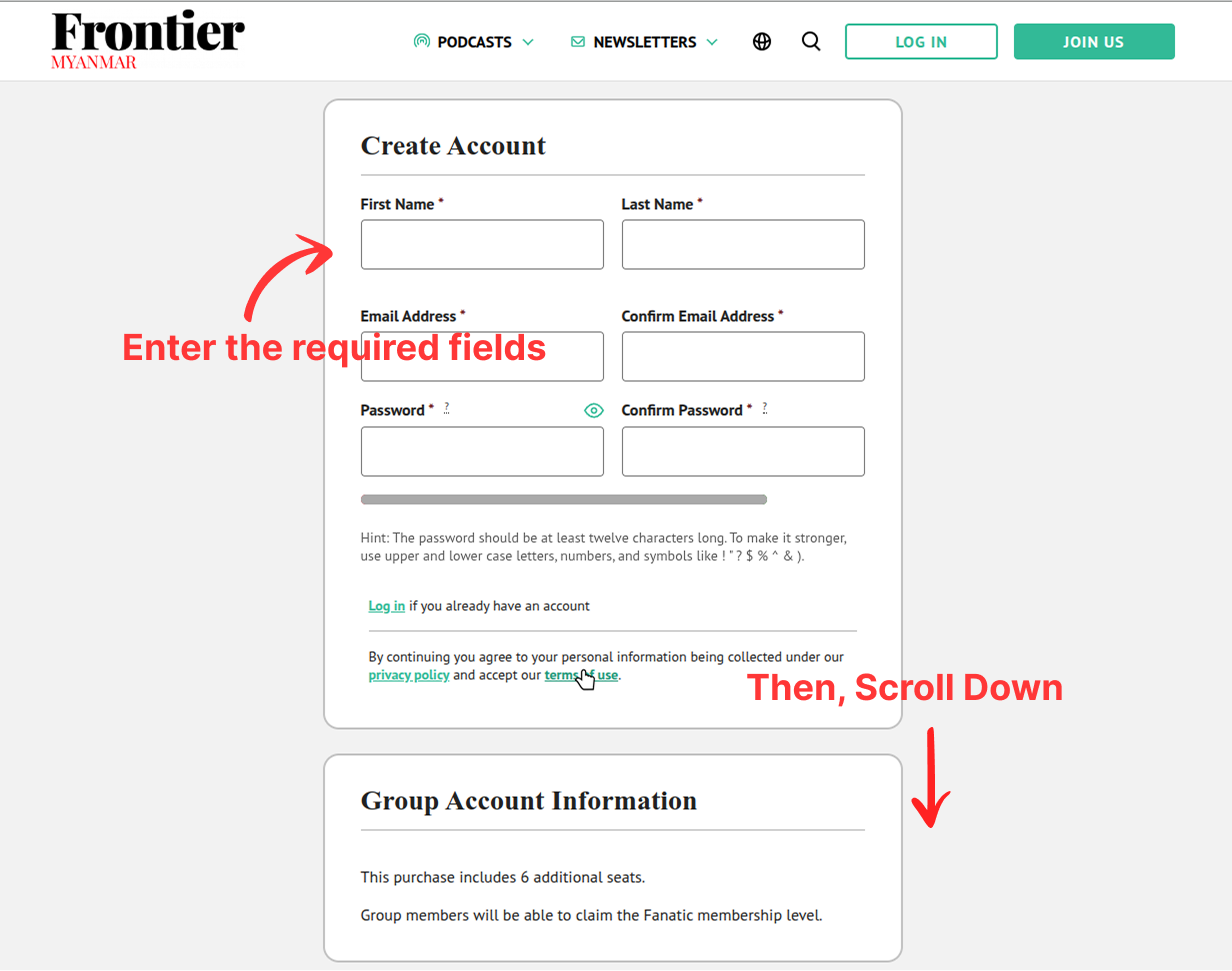
- Then click the “Submit and Check Out” button.

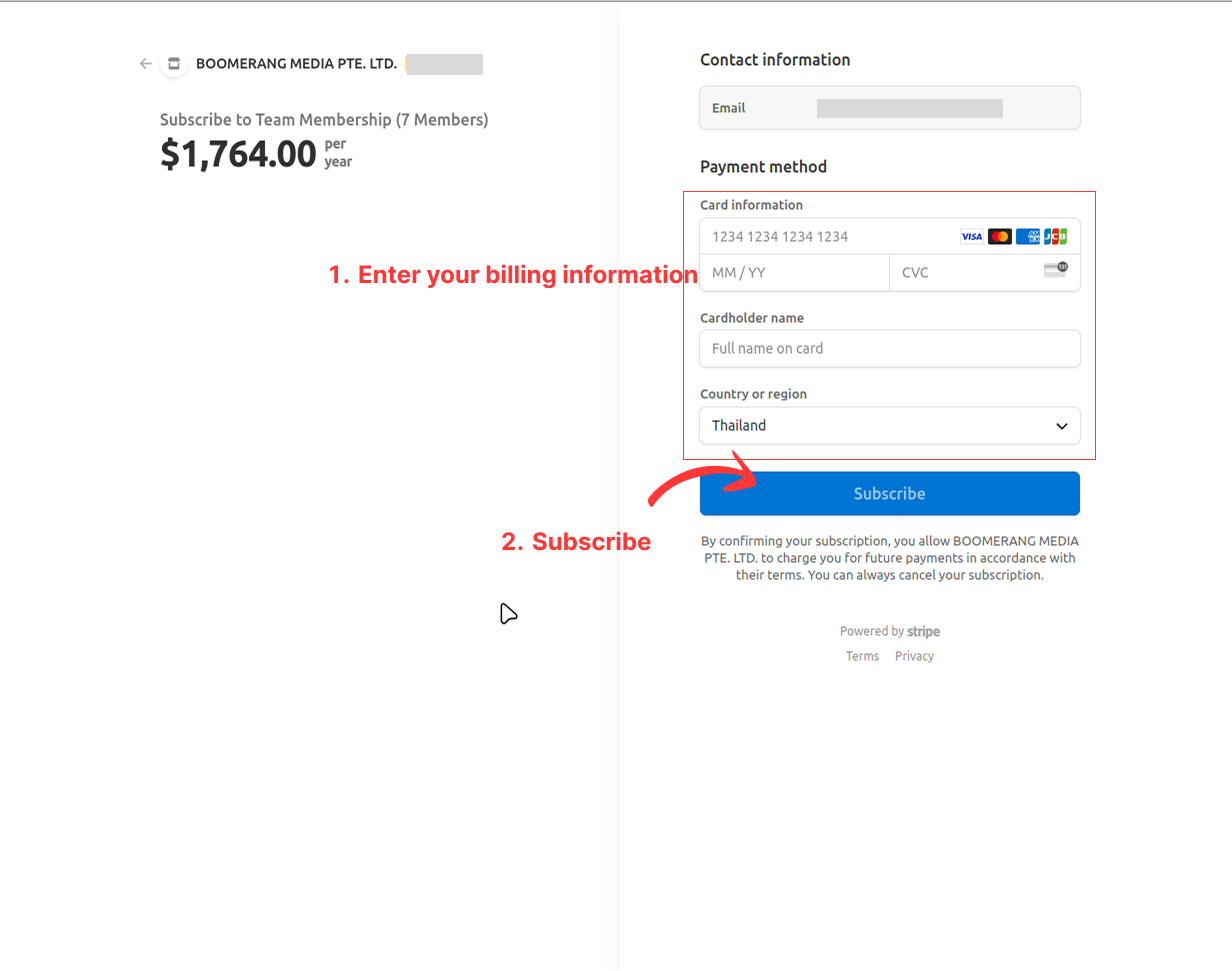
- You will be redirected to Stripe checkout page where you can enter your billing information.
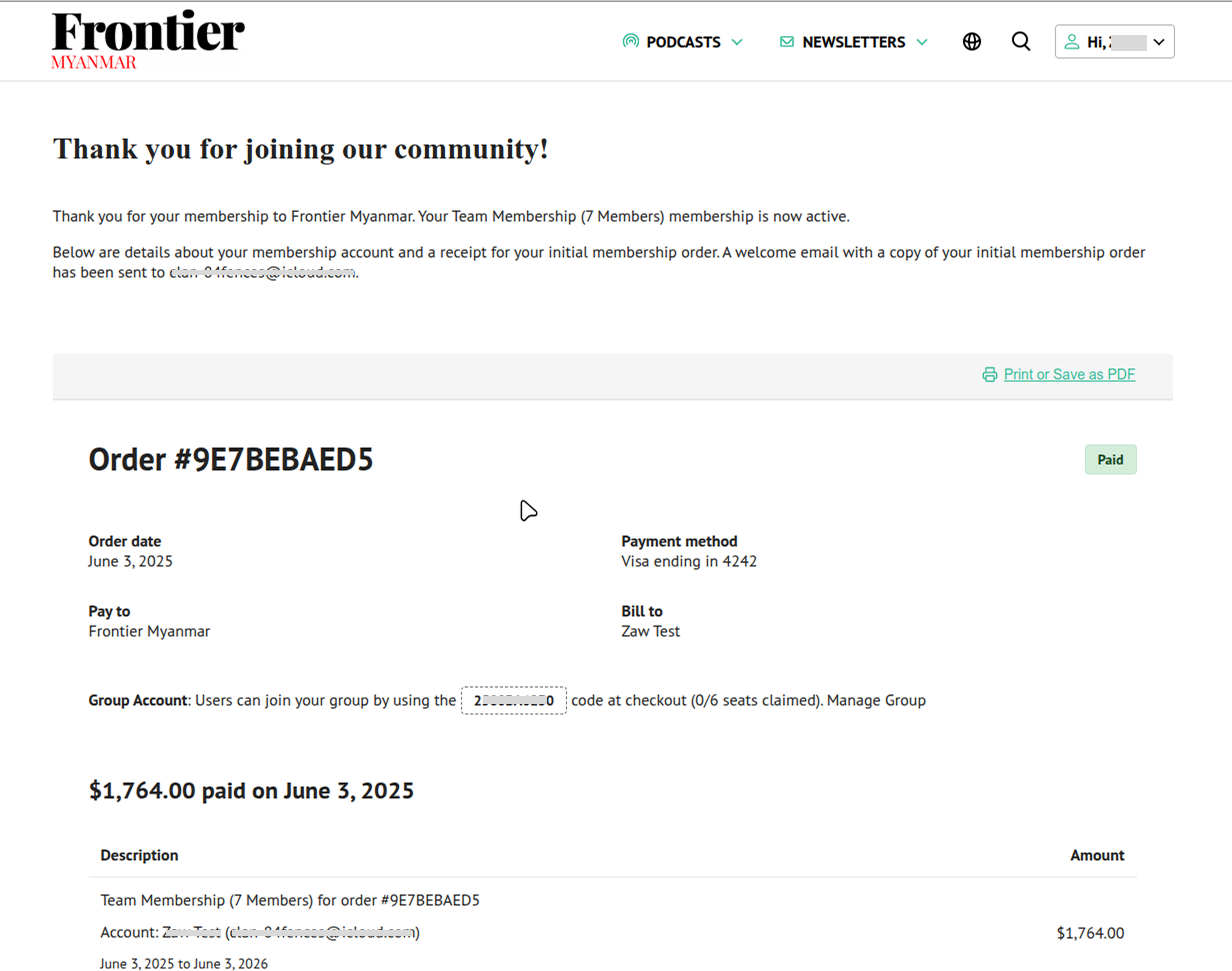
- Once the checkout process is successful, you will be redirected to your membership confirmation page.
- We will send an email confirmation to your email address. Please click the link to verify your email address.
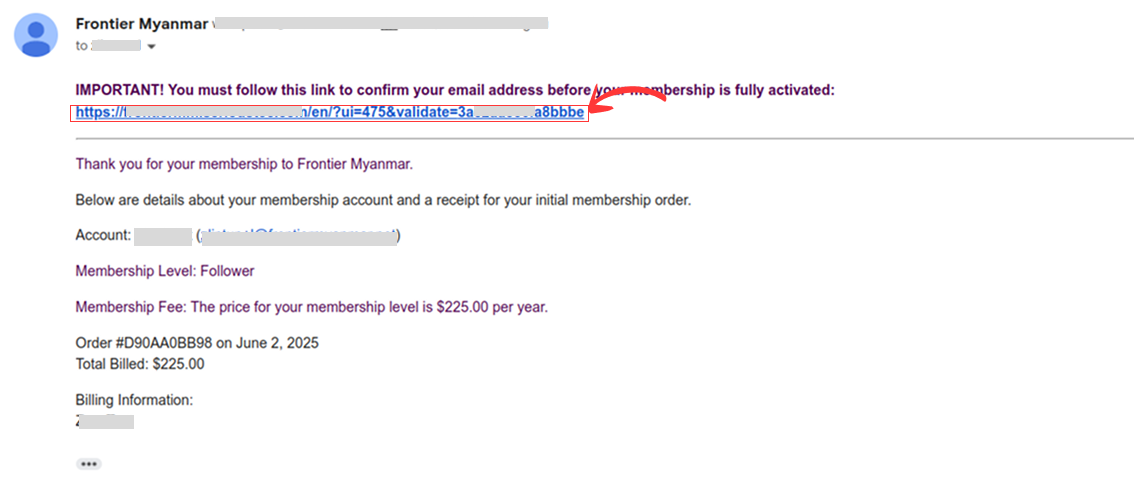
If you don’t see the email, please check your spam folder. If it is not in your spam folder, please email us for support on members@frontiermyanmar.net