Change Your Display Name
To change your display name, follow these steps:
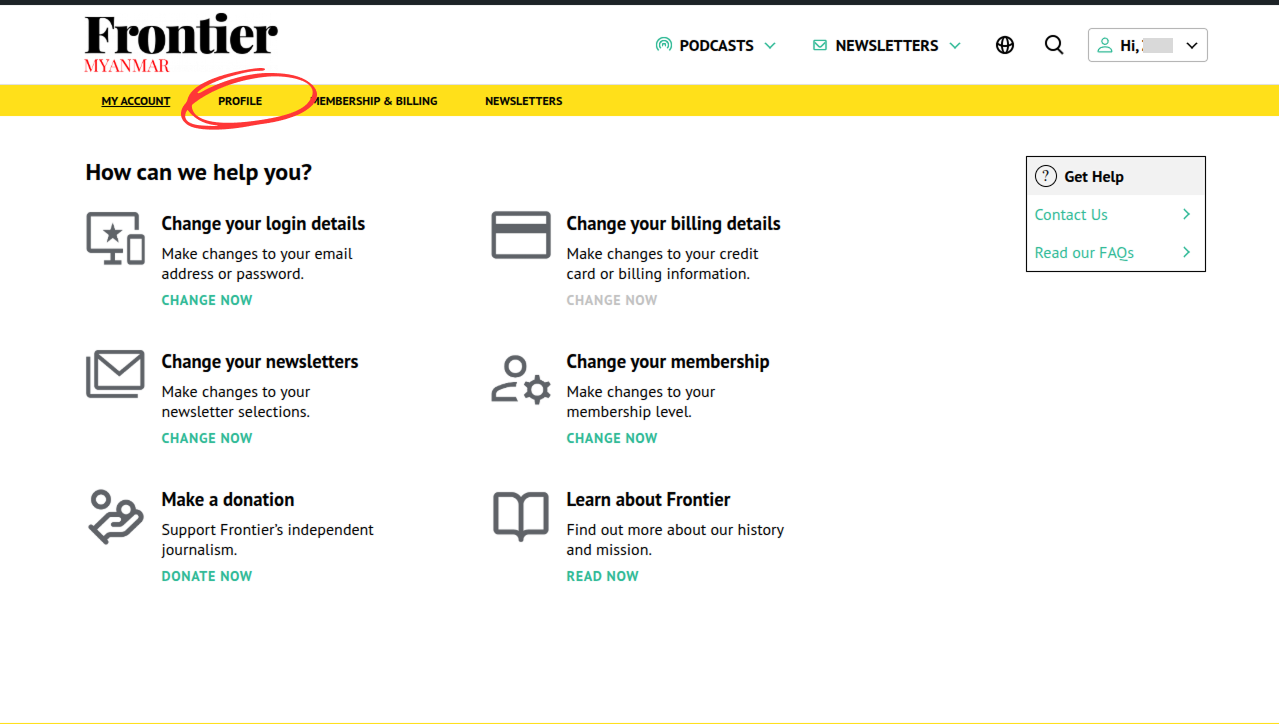
- Access your account profile page by click on the “Profile” tab in the membership dashboard or clicking here.
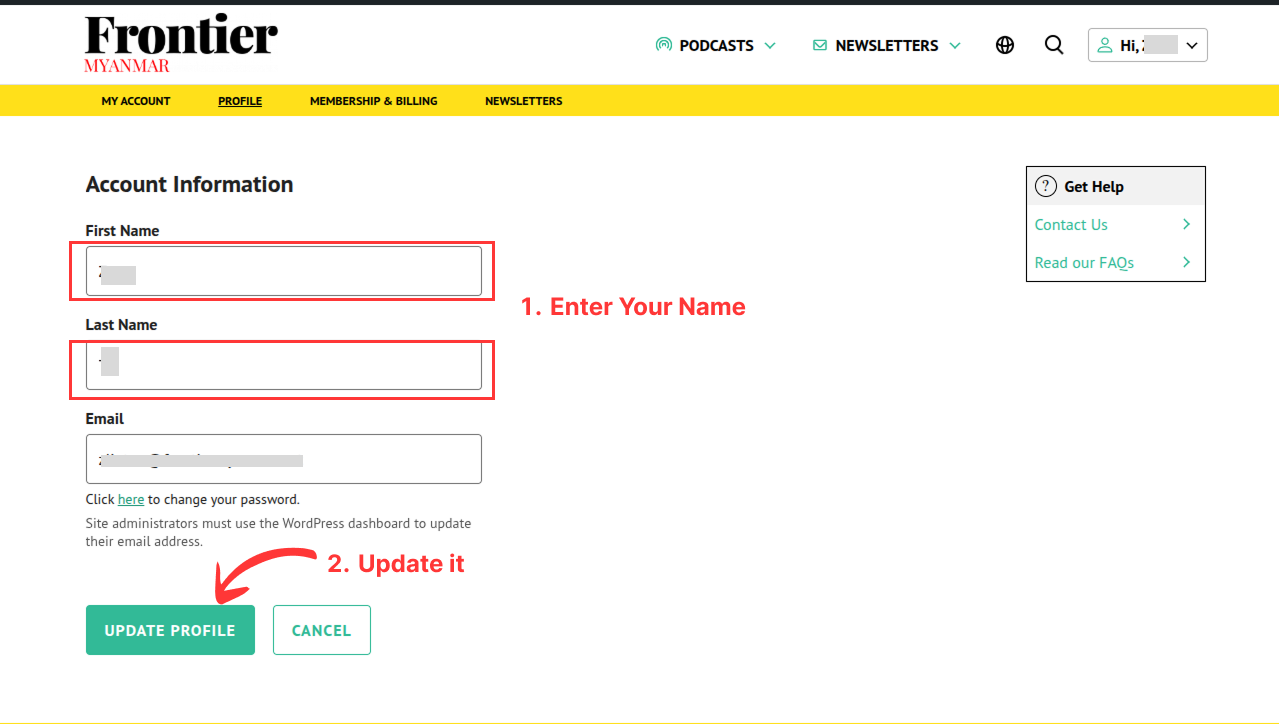
- Update your display name.
Note: If you don’t see the changes after the update, please wait and refresh the page after a few seconds.